WordPress plugin — Free + Pro · part of the Education Stack
See who’s on track — and who needs help — before the end of placement.
The Clinical Training Logbook is a self-hosted WordPress plugin where students log every treatment with evidence and a reflection. Supervisors see the whole cohort’s progress in real time — who’s hitting their case-type requirements, who’s treating a narrow range of conditions, who hasn’t logged in two weeks. Free to start; Pro adds allocations, cohort oversight, trainer feedback and reporting — whether you have 5 students or 500.
Free & GPL · self-hosted · WordPress 6.7+, PHP 8.1+ · WordPress.org listing coming
For clinical training programs — no matter if you have 5 or 500 students
The clinical supervision problem
Students fall behind without anyone knowing — until it’s too late to help.
Every clinical program runs the same loop: students see patients, log treatments, reflect, get feedback, hit their requirements. Most supervisors only find out a student is in trouble when they review the logbook at the end of placement — after the teachable moments have passed.
No real-time view of who’s on pace
Paper logbooks and spreadsheets tell you nothing until you collect them. Which student hasn’t logged in two weeks? Which one has only seen one type of presenting complaint? You find out at the end.
Feedback arrives when the patient is gone
Trainer comments live in inboxes; reflection reviews happen in batches at the end of the term. The specific case where a student needed guidance has long since been discharged.
No way to enforce breadth, only volume
A student can log 100 treatments on the same three conditions and technically meet a case-count requirement — unless your logbook actually checks technique variety, case mix and patient demographics.
Free features
Structured placement logging — free to run.
Guided treatment entries, private evidence uploads, reflections and a student progress dashboard against configurable requirements. Self-hosted, no cloud, no licence check — this is the free tier.
Log a treatment
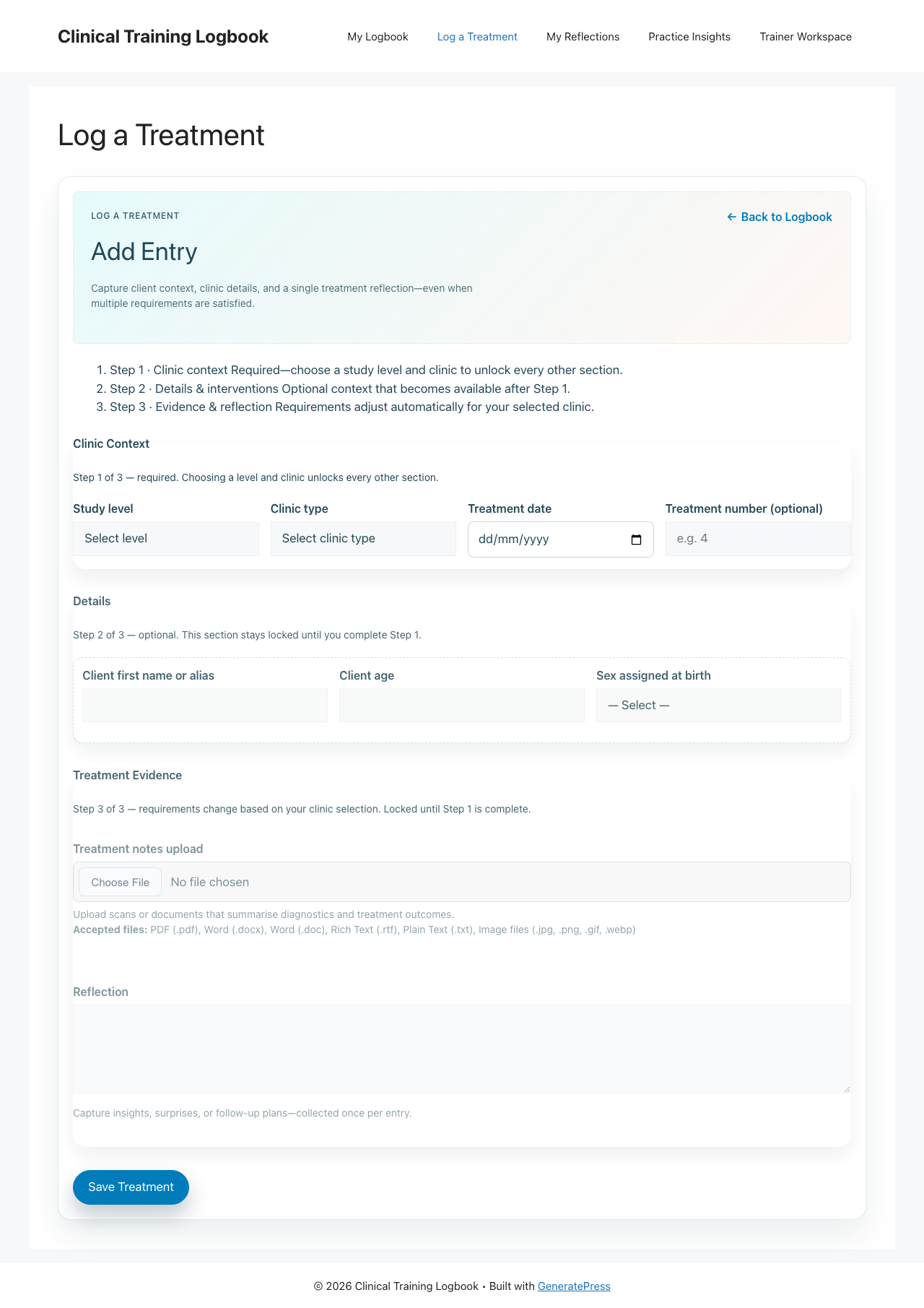
A guided, section-based entry form — client demographics, intervention selections (technique, diagnostic, advice and case details), evidence uploads stored privately on your own server, and a reflection with optional voice dictation. Optional draft auto-save (off until you switch it on) restores an interrupted entry from the student’s browser.
My progress at a glance
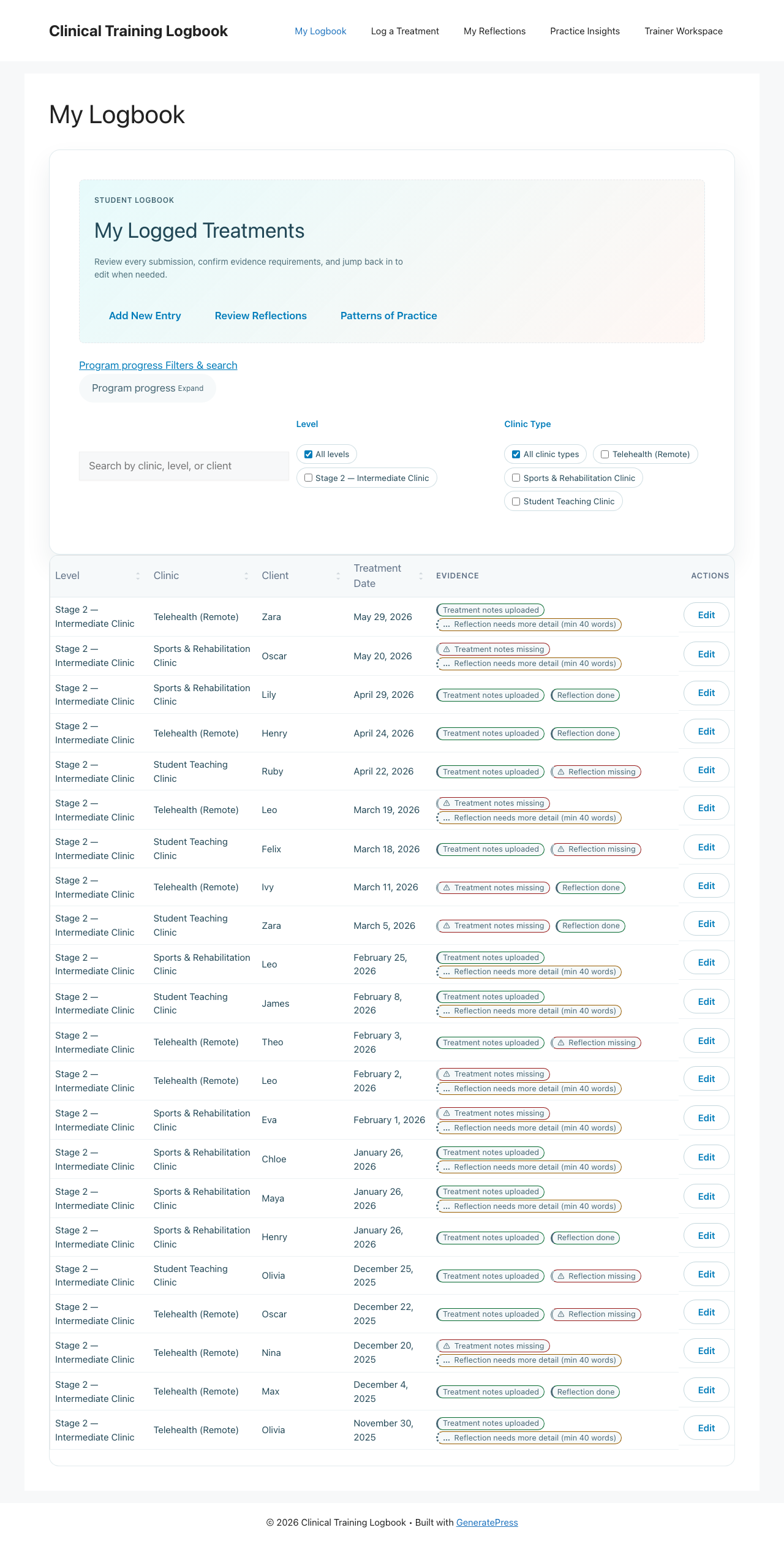
Students see their whole placement history with a progress meter for every requirement — treatments per clinic type, techniques, diagnostics, advice and case details — plus a demographics summary and the reflection status of each entry. They know exactly where they stand without asking a supervisor.
Configure what students need to achieve
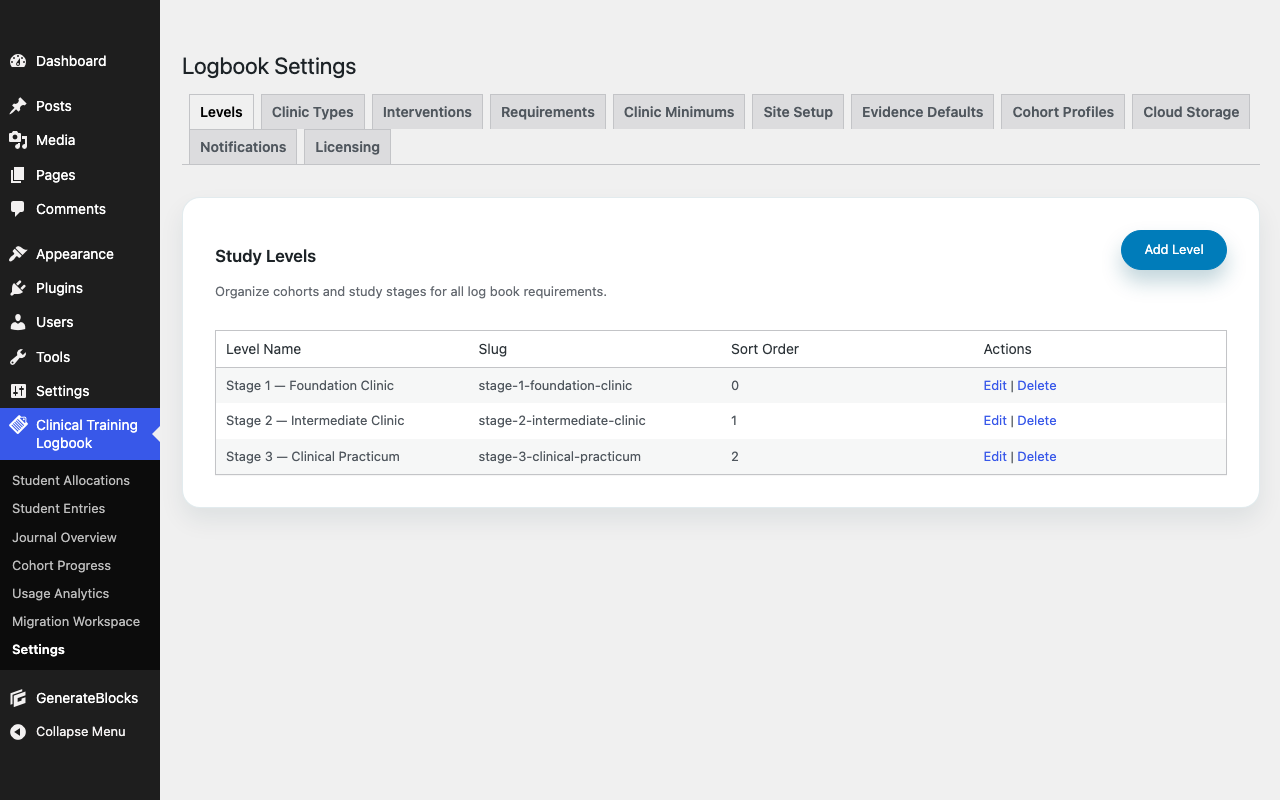
Set levels, clinic types and your own intervention catalogue (techniques, diagnostics, advice, case details), demographic fields (age ranges, sex at birth), and a minimum count for each requirement — optionally scoped to a clinic type or age range. Notes, reflections (with a minimum word count) and evidence can be made mandatory per clinic type — the record that makes each case auditable and confirms students are genuinely engaging with their practice, not just counting numbers. Other targets guide students toward breadth without blocking their workflow.
Pro features
Supervisor tools for running a real clinical program.
Pro is a separate add-on requiring the free plugin — it adds the cohort oversight, feedback, analytics and management tools a program coordinator needs to stay across every student, every week.
Cohort progress matrix
Every student against every clinic-type requirement, on one screen. Treatment counts against targets and met/unmet status across the whole cohort. Know who is behind in week three, not week eleven.
Trainer workspace
Cohort filter → student progress → entries by date and level → detail with inline evidence preview → feedback journal. One surface, no switching tabs, nothing to lose track of.
Breadth & skills analytics
Technique, diagnostic, advice and case-detail usage by level and clinic type, with trendlines — across the program or for a single student. See whether students are diversifying their practice — or defaulting to the same three cases.
Reflection feedback
Trainers and admins leave feedback on each individual reflection, with an optional email to the student when feedback is posted. Not in a batch at the end — on the specific entry, while it’s still relevant.
Privacy & completeness review
Two independent, opt-in review tracks: privacy (flag entries containing patient-identifiable information) and notes completeness. Configurable standard reasons, student notification emails, and the option to exclude flagged entries from progress counts while under review.
Reports, exports & reminders
Filterable student-entry and reflection reports with CSV export, cohort progress snapshots, and weekly reminder emails that tell each student which notes and reflections are still outstanding.
Allocations & cohorts
Allocate students to levels individually or in bulk, then group them into cohorts with assigned trainers. Per-cohort requirement overrides let each group have its own targets. Full allocation history, status tracking and lock controls — with optional auto-lock once requirements are met.
Your cloud storage
Optional Bunny.net or Google Drive evidence storage, uploaded server-side so storage credentials never reach the browser. An authenticated file proxy streams evidence through WordPress, and you can migrate between providers in either direction.
Accreditation reporting
When assessment time comes, the record is already complete — per-student progress snapshots you can print or save as PDF, the full treatment record, and an audit trail of treatment changes. Because you’ve been tracking all year, not just at the end.
Also in Pro: Soft evidence enforcement · configurable terminology · unlinked-file cleanup · treatment migration workspace · admin dashboard widget.
How it compares.
| Paper / spreadsheets | Generic LMS | InPlace / Sonia | Clinical Logbook (Pro) | |
|---|---|---|---|---|
| Real-time student progress view | No | No | Yes | Yes |
| Configurable breadth requirements | No | No | Partial | Yes — interventions, clinic types, age ranges |
| Treatment entries with evidence | Manual | No | Yes | Yes |
| Reflections + trainer feedback | No | Limited | Yes | Yes — per reflection, with email alerts |
| Cohort progress matrix | Manual | No | Yes | Yes |
| Privacy & completeness review | No | No | Varies | Yes — two-track |
| Self-hosted (your data) | n/a | Varies | No | Yes |
| Annual cost | Your time | LMS-bundled | $5–15k/yr | $0 core · $299 Pro |
RRP shown. Founding price — from $224.25 (Single Site, 25% off) — is locked while your subscription stays active, for the first 30 orders or until 1 November 2026, whichever comes first.
Clinical Logbook Pro
One licence. The whole supervisor and cohort layer.
Annual licence, 30-day money-back guarantee. The founding price is 25% off RRP, locked while your subscription stays active — cancel and resubscribe and the founding rate is gone. The free plugin stays free, forever.
- 1 WordPress install
- All Pro features
- Bunny + Google Drive storage
- 1 year updates & support
- Up to 5 installs
- All Pro features
- Bunny + Google Drive storage
- 1 year updates & support
- Unlimited installs
- All Pro features
- Bunny + Google Drive storage
- 1 year updates & support
USD · RRP shown; founding price (25% off) applied at checkout for the first 30 orders or until 1 November 2026, whichever comes first. Pro is a separate add-on; the free plugin is always free.
Can’t we just use a paper logbook?
Paper tells you nothing in real time. You can’t see which student has only treated one type of presenting complaint, or who hasn’t logged in two weeks, until you collect the books at the end. The free plugin already replaces the paper logbook — structured entries, configurable requirements, progress meters — and administrators can review every entry from the WordPress dashboard without chasing anyone.
Isn’t InPlace or Sonia the standard?
For large university faculties with the budget, yes — they start at $5,000–15,000/yr and are built for medical and physio schools. Clinical Logbook does the same student-progress and supervision job for programs of 50–500 students, on a WordPress site you already own, with your data in your own storage.
FAQ