WordPress plugin — free core + 3 Pro modules · part of the Education Stack
Online attendance, session sign-ups and student progress — in one easy hub.
Training Hub is a self-hosted WordPress plugin that takes the busywork out of student administration. Record attendance online against your LMS enrolments, let students sign up for capped sessions — with waitlists and optional auto-approval — and send the reminders that keep classes full and trainers on top of their marking. Free and self-hosted; add Pro modules for timetabling, assessment and progress analytics as you grow.
Free core & GPL · Tutor LMS · LifterLMS · standalone · WordPress 6.7+, PHP 7.4+ · WordPress.org listing coming soon
Built for anyone managing students, sessions and attendance
The student-admin grind
Student administration eats your week — and things still slip through.
Marking attendance, booking sessions, chasing no-shows, spotting who’s behind. It usually means spreadsheets, email threads, and a separate paid tool for every job.
Attendance that never gets marked
Paper rolls and spreadsheets mean trainers forget, you chase them, and the records are always a week behind.
Sign-ups juggled over email
Capped workshops, placements and 1-1s booked by email turn into double-bookings, no-shows, and waitlists you manage by hand.
No idea who’s drifting
By the time you notice a student has stopped showing up or fallen behind, it’s already too late to step in.
Free core
The student-admin core — free and self-hosted.
Online attendance, session sign-ups with waitlists, reminders, progress reports and self-service dashboards. Works with your LMS or without one — this is the free tier, no seat fees.
Online attendance, from anywhere
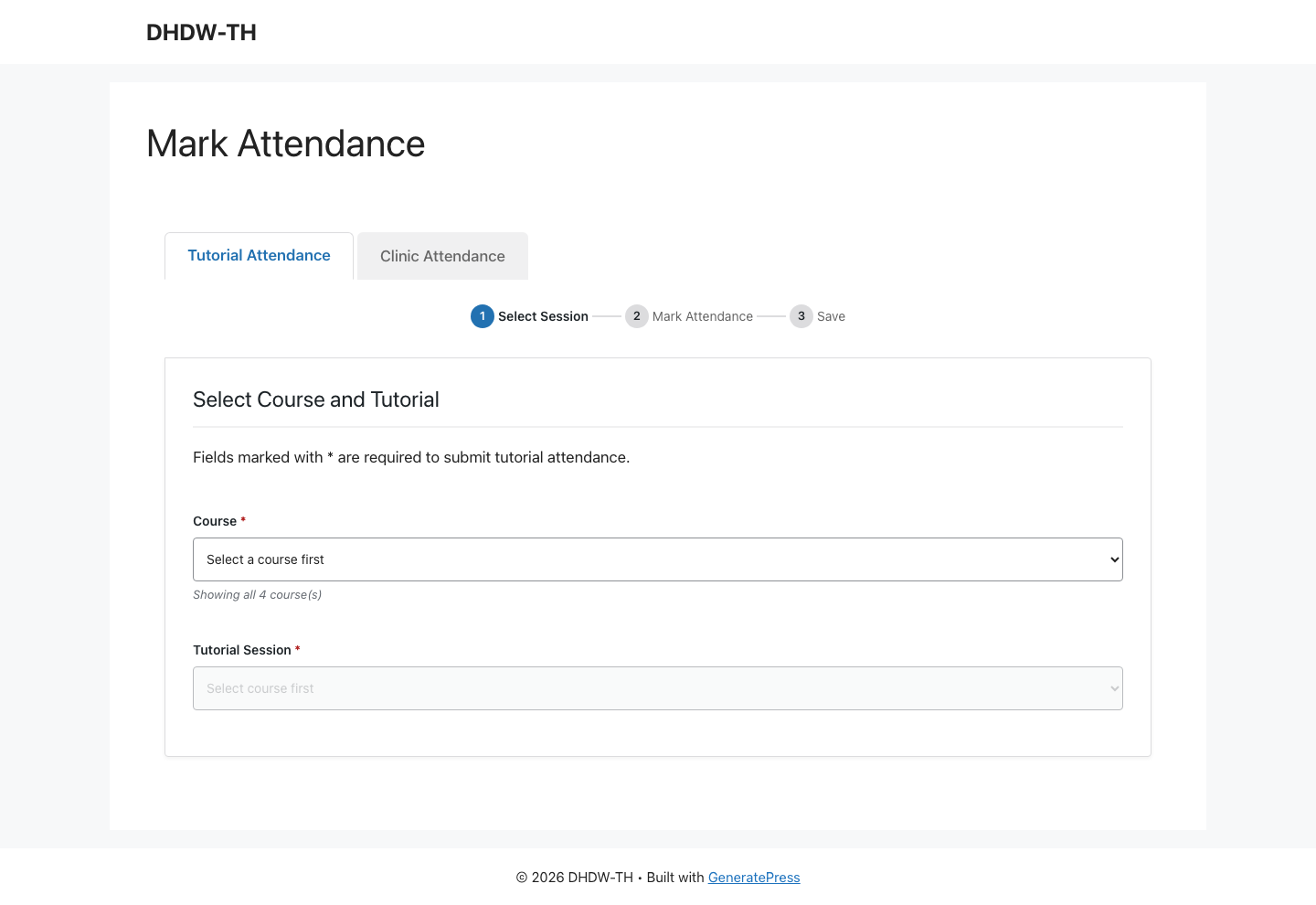
Trainers mark a whole session from the front end — no WP admin login — with configurable statuses, against your Tutor LMS or LifterLMS enrolments (or standalone classes). Reminders nudge trainers who haven’t marked yet, remind students and trainers about upcoming classes, and email admins weekly attendance & missing-attendance summaries.
Session sign-ups & waitlists
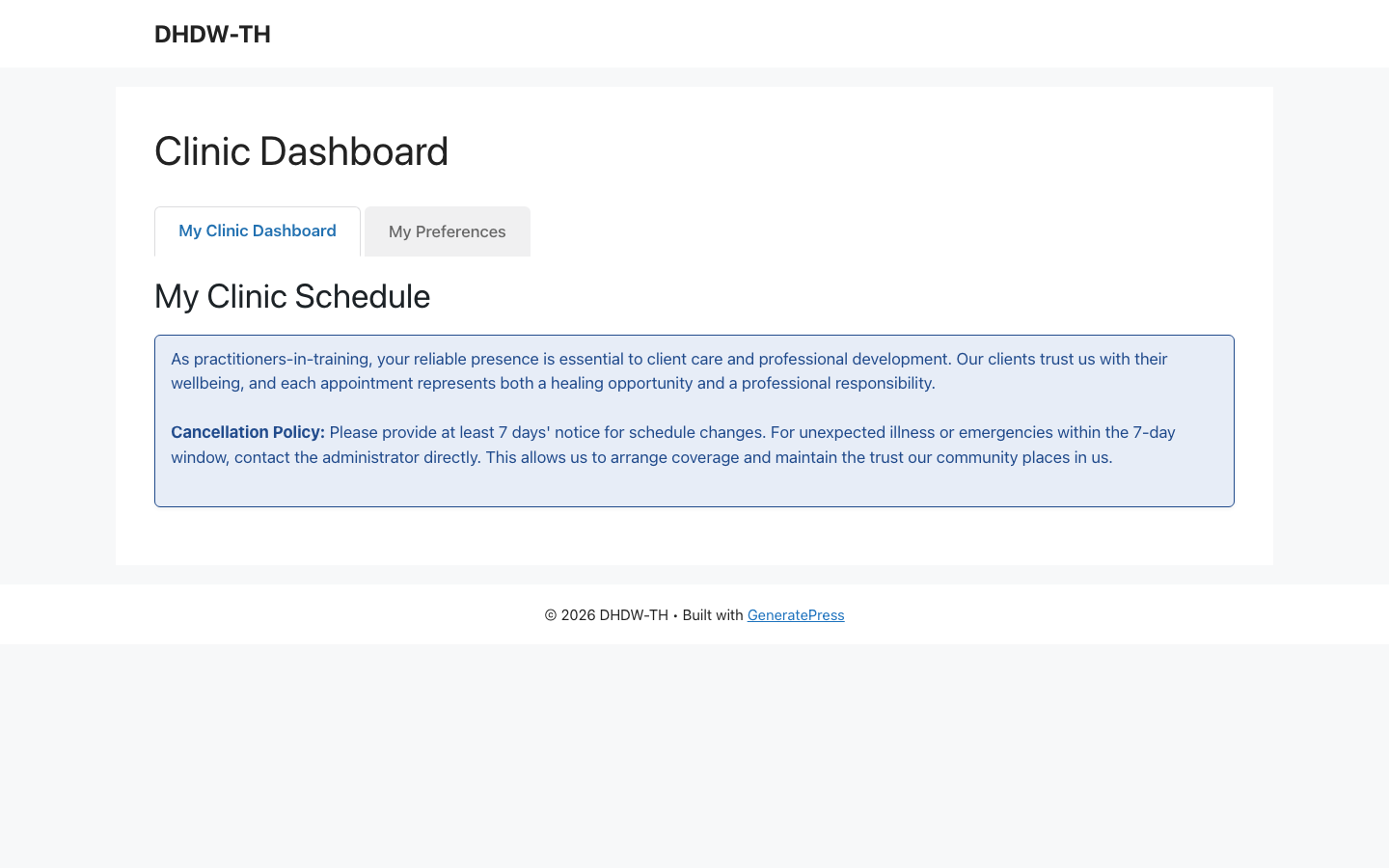
Open capped sessions for students to book themselves — workshops, placements, labs, even a 1-1 at a cap of one. Optionally auto-approve up to the limit, and auto-promote from the waitlist the moment someone drops out.
A live progress report
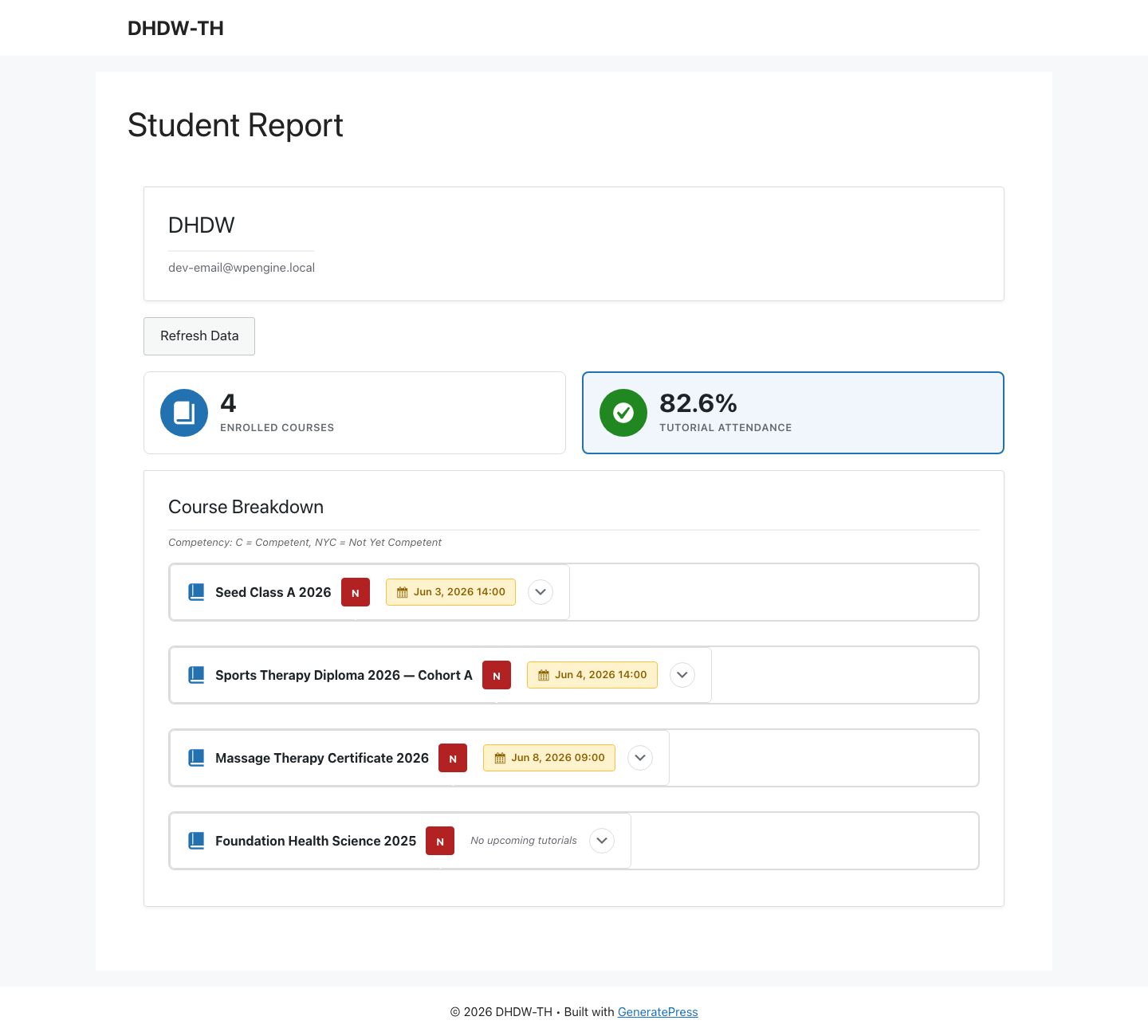
See exactly where a student stands — attendance rate, enrolled courses and upcoming sessions — on one live report, on screen, exported to CSV, or printed / saved as PDF.
Timetables for students & trainers
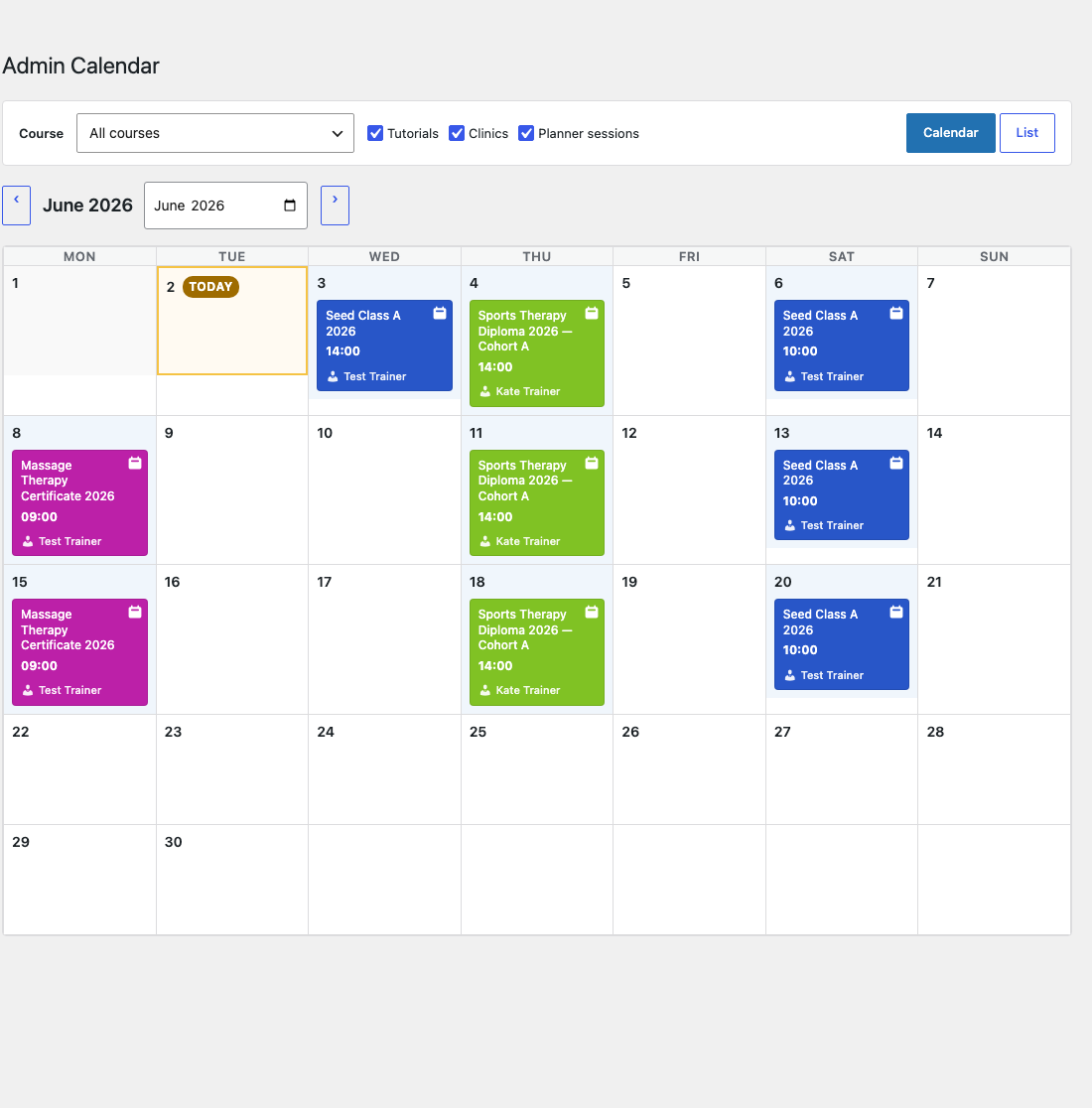
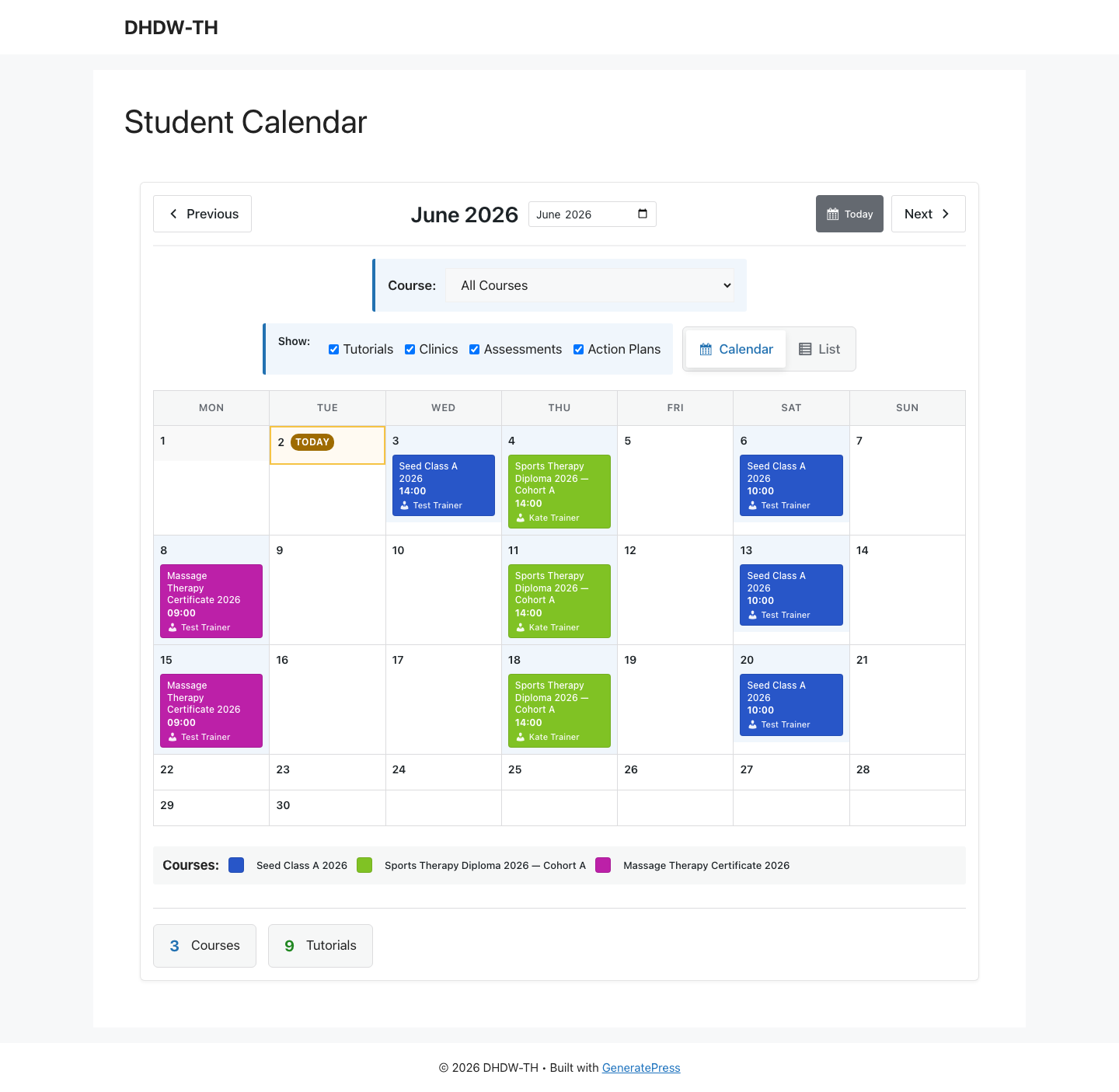
Students and trainers each get their own front-end calendar — month or list view, filterable by course — so everyone can see their upcoming sessions at a glance.
Student self-service dashboard
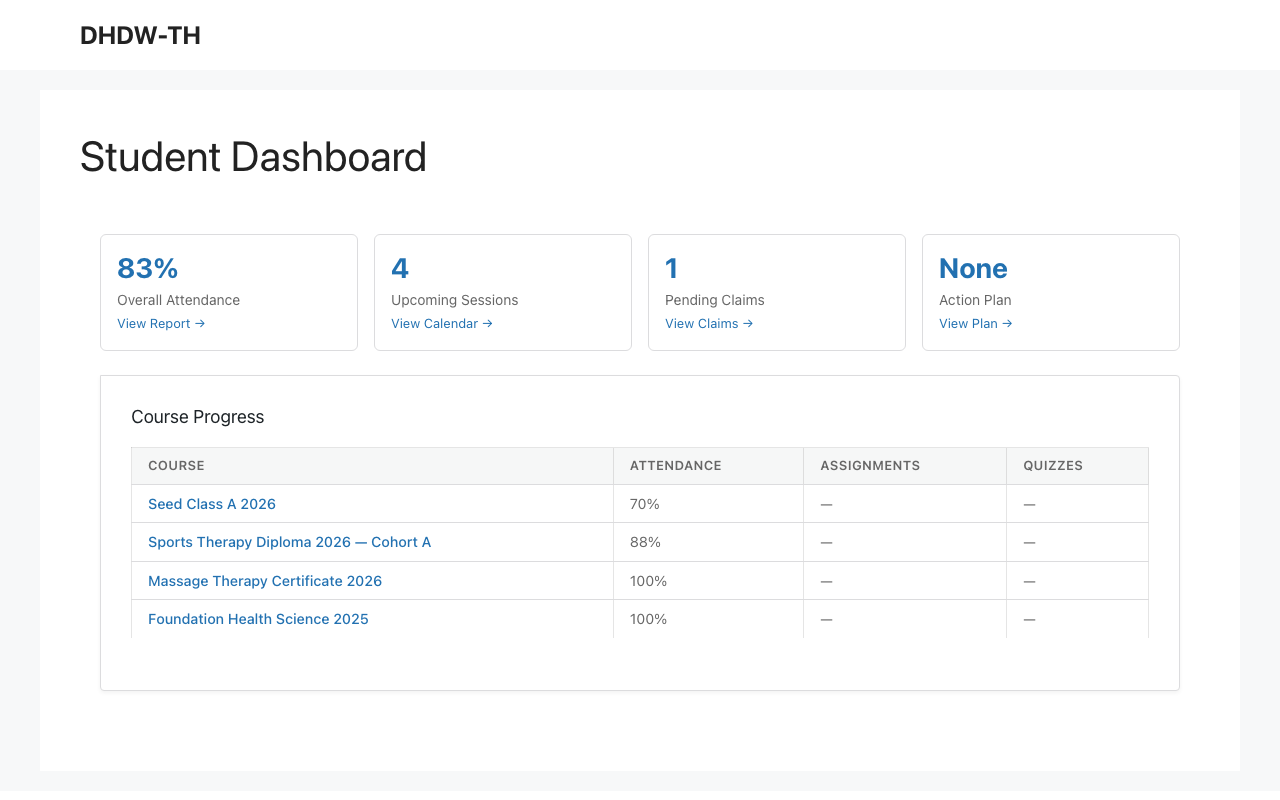
Students get a clean home for their attendance, upcoming sessions and progress — far fewer “what did I miss?” emails to answer.
Pro modules
Three Pro modules. Buy only what you run.
The free core handles attendance, session sign-ups and reporting. Add the modules that match how you teach — each a single annual licence, or take all three as Training Hub Pro. One plugin; your licence keys switch on what you bought.
Timetable Planner
End the timetabling email chains — plan, spot clashes, and publish in one place.- Drag-and-drop year planning canvas, published as timetable PDFs
- Automatic clash detection
- Public-holiday & teaching-break overlays
- Trainer availability & approval workflow
- Push to Tutor LMS, LifterLMS or standalone classes — plus subject outlines generated from the released plan
Replaces the back-and-forth of Edval / TES Timetable · $3,000–15,000/yr
Rubric Grading Suite
Mark to a rubric, with written, video or dictated feedback.- Rubric authoring, grading queue & authenticity declarations (built on Tutor LMS Pro assignments)
- Written, video, or dictated feedback (your browser’s built-in speech-to-text)
- Bulk PDF result reports & subject results
- Assignment / quiz due dates, extensions & overdue follow-up
- Per-course competency tracking
Replaces Crowdmark / Gradescope · $2,000–8,000/yr
Progress Tracking & Analytics
Spot who’s falling behind — and give them a plan to catch up.- Automated student progress tracking
- Weekly early-warning emails on declining attendance
- Engagement analytics & cohort dashboards
- Student-visible progress plans (attachments & PDFs) so learners know how to catch up
- Advanced student-report tabs & exports
One place for progress & engagement — richest with Tutor LMS course data
Need everything? Training Hub Pro includes all three.
One purchase, all current and future modules included — over 15% less than buying the three modules separately, at every site tier. 30-day money-back guarantee; the free core stays free.
RRP shown. Every module — and the all-in — sells at Single Site, Network (5 sites) and Unlimited, so you buy only what you need at any scale and are never pushed into the all-in just to license more sites. Founding pricing (25% off, exact figures above) is available for the first 30 orders or until 1 November 2026, whichever comes first — cancel and resubscribe and the founding rate is gone. One plugin install; your licence key(s) switch on the modules you own.
How it compares.
| Spreadsheets + email | A stack of SaaS tools | Student SIS | Training Hub | |
|---|---|---|---|---|
| Online attendance | Manual | Sometimes | Limited | Yes — free, uses LMS enrolments |
| Session sign-ups & waitlists | Manual | Add-on $$ | No | Yes — free (capped or 1-1) |
| Class & mark-attendance reminders | Manual | Some | No | Yes — free |
| Year-level timetabling | Manual | $3–15k/yr | No | Module · from $99/yr |
| Rubric assessment & feedback | Manual | $2–8k/yr | No | Module · from $99/yr |
| Progress analytics & student plans | Manual | $$ | Partial | Module · from $99/yr |
| Works with your LMS | n/a | Varies | No | Tutor / Lifter / standalone |
| Self-hosted (your data) | n/a | No | No | Yes |
| Annual cost | Your time | $8–30k+ combined | $$$ | $0 core · $249 all-in |
RRP shown. Founding pricing — 25% off ($74.25 per module, $186.75 all-in) — is available for the first 30 orders or until 1 November 2026, whichever comes first.
Isn’t this just an LMS?
No. Training Hub is the admin layer around your teaching — attendance, session sign-ups, scheduling and progress — not a course-delivery platform. It sits alongside Tutor LMS or LifterLMS, or runs on its own, and it isn’t a full student information system either. It’s the day-to-day student admin those tools leave out.
Why modular instead of one price?
Because most schools need one or two of the three, not all. Buy just the Timetable Planner, or just Progress Tracking, on its own — and if you need everything, the all-in costs just $51 more than two modules at single-site RRP ($249 vs $198) and includes every future module too. You pay for what you actually run.
FAQ