Free WordPress plugin · part of the Education Stack
Keep students on track and trainers prepared — every week, automatically.
Course Cadence is a free, self-hosted WordPress plugin that sends each cohort a weekly stream of guidance — pacing students through the course so they don’t fall behind, and giving trainers the week-ahead prep so they’re ready for class. Build the timeline once and reuse it intake after intake. Works with Tutor LMS, LifterLMS, or no LMS at all. Free, self-hosted, no paid tier.
Free & GPL · Tutor LMS · LifterLMS · standalone · WordPress 6.7+, PHP 8.0+
For anyone running cohort-based courses
What’s at stake
When the weekly rhythm slips, students fall behind — and trainers wing it.
Cohort courses live or die on rhythm. Keeping every learner on pace and every trainer prepared usually falls to a manual ritual — and the moment it slips, your completion rates and your live classes feel it.
Students drift — then they drop out
Without a weekly nudge tied to where they are in the course, learners fall behind. Drift becomes non-completion — and completion is the number you’re measured on.
Trainers walk in underprepared
If next week’s plan, activities and talking points aren’t in front of them, prep slips — and the live class is the first thing to suffer.
And it resets every intake
Rebuilding reminders by hand each teaching period — or bolting on a drip tool that doesn’t know your course — is fragile, and never gets better.
Students and trainers
One timeline. Two people it keeps on track.
Every prompt on the timeline can target students, trainers, or both — so the same weekly rhythm pulls learners through the course and keeps trainers ready for the room.
Paced so they keep moving
Each week, learners get guidance for exactly where they are in the course — what to study, what to complete, what’s next. Self-directed or alongside live classes, it’s the nudge that turns drift into momentum, and a progress tracker shows them how far through the timeline they are.
→ Fewer drop-outs, stronger completion rates.
Prepared before they walk in
Trainers get the week ahead — what to present, the planned activities, the session notes — so prep never slips. They can refine prompts themselves (auto-approved, or sent past administration first) and see exactly what students are receiving alongside their own trainer notes, so they always know where the cohort is up to.
→ Trainers ready for every live class.
Schedule guidance to students, trainers or both · reuse a timeline from one cohort to the next, tweaking as you improve it · configure for fixed semesters or rolling enrolment starts.
Features
Everything you need to guide a cohort, week by week.
Author once, deliver all term, keep trainers in sync, and give students a guidance view they’ll actually open — the whole loop, free.
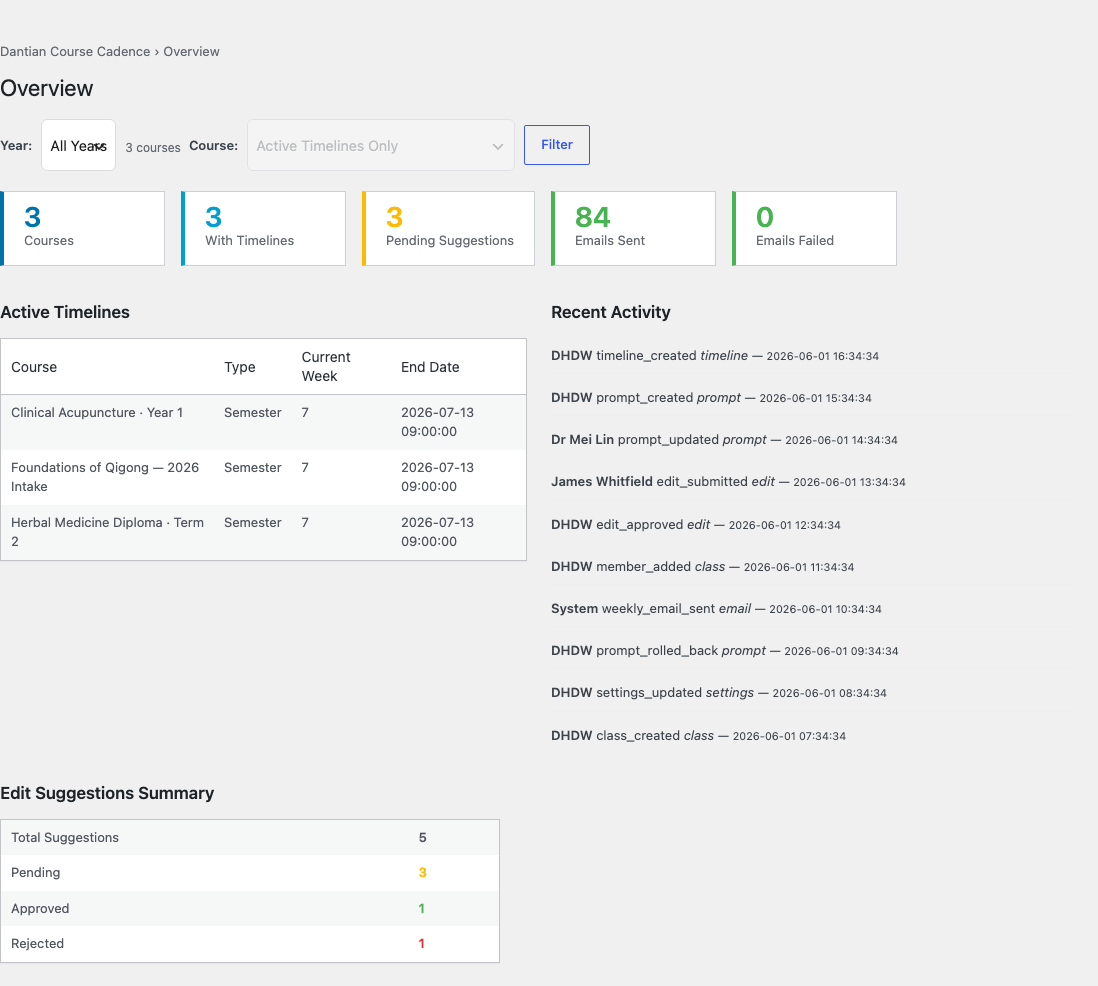
Timelines & prompts
Build a week-by-week (or day-level) timeline for each course — semester-based or enrolment-relative, with break periods that pause the week count — and attach rich-text prompts, linked lessons and attachments aimed at students, trainers, or both.
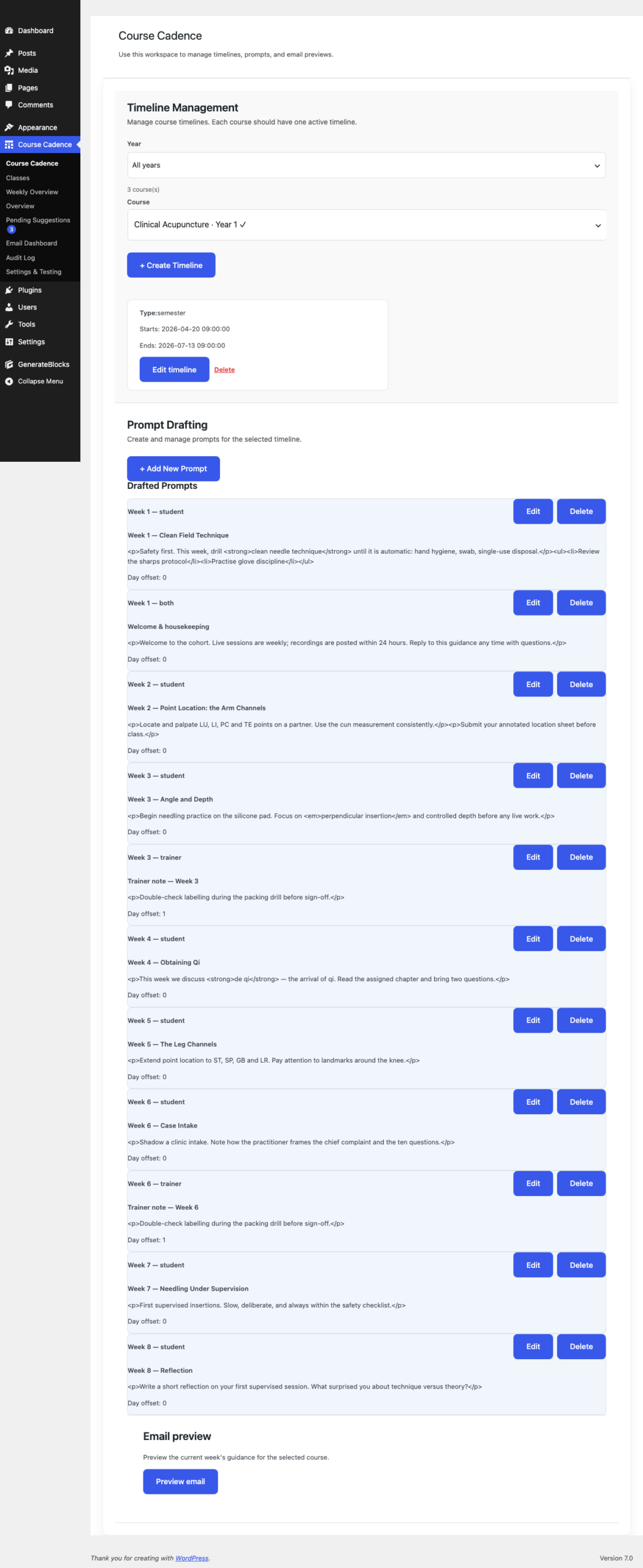
Weekly dispatch overview
See the whole term at a glance: a prompt matrix across every course for any week, with quick previews and a deep-link straight into the editor.
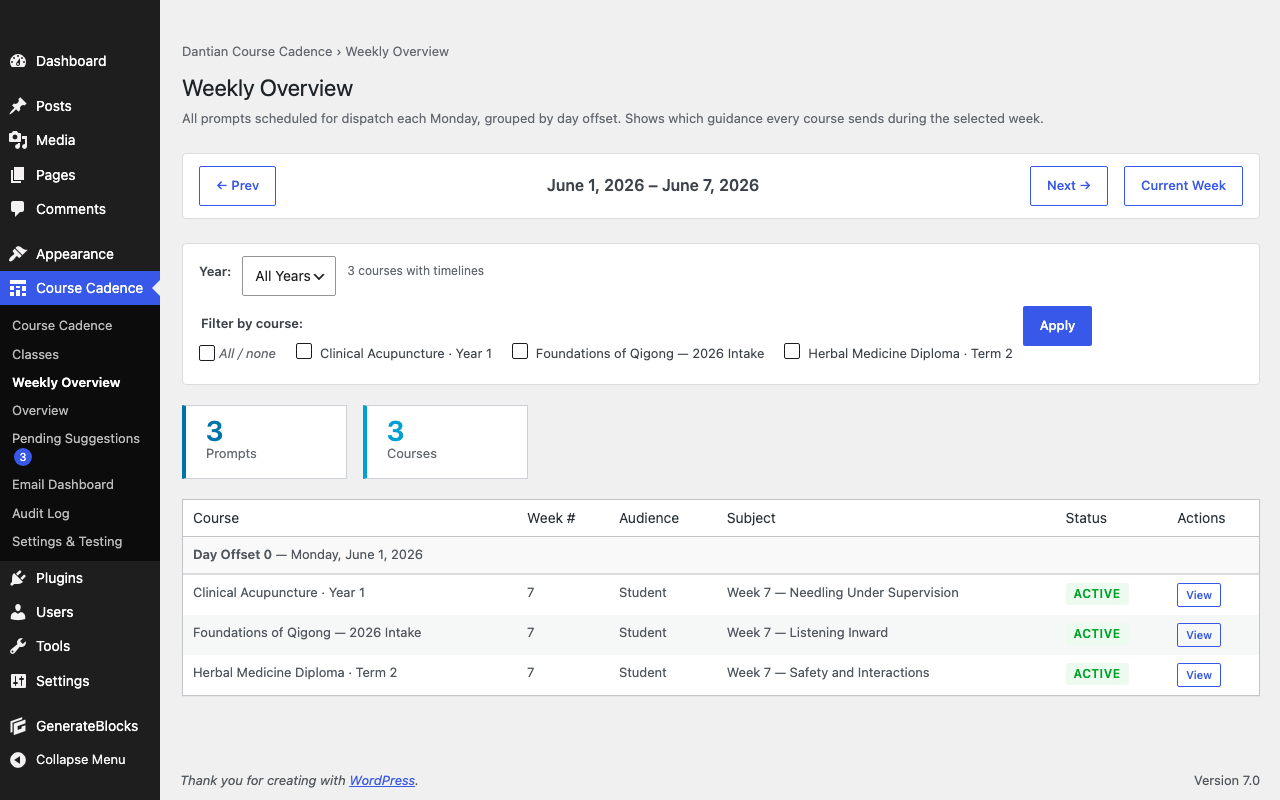
Email delivery dashboard
Every send, tracked — summary cards, per-course delivery stats and one-click CSV export. Know exactly what reached whom.
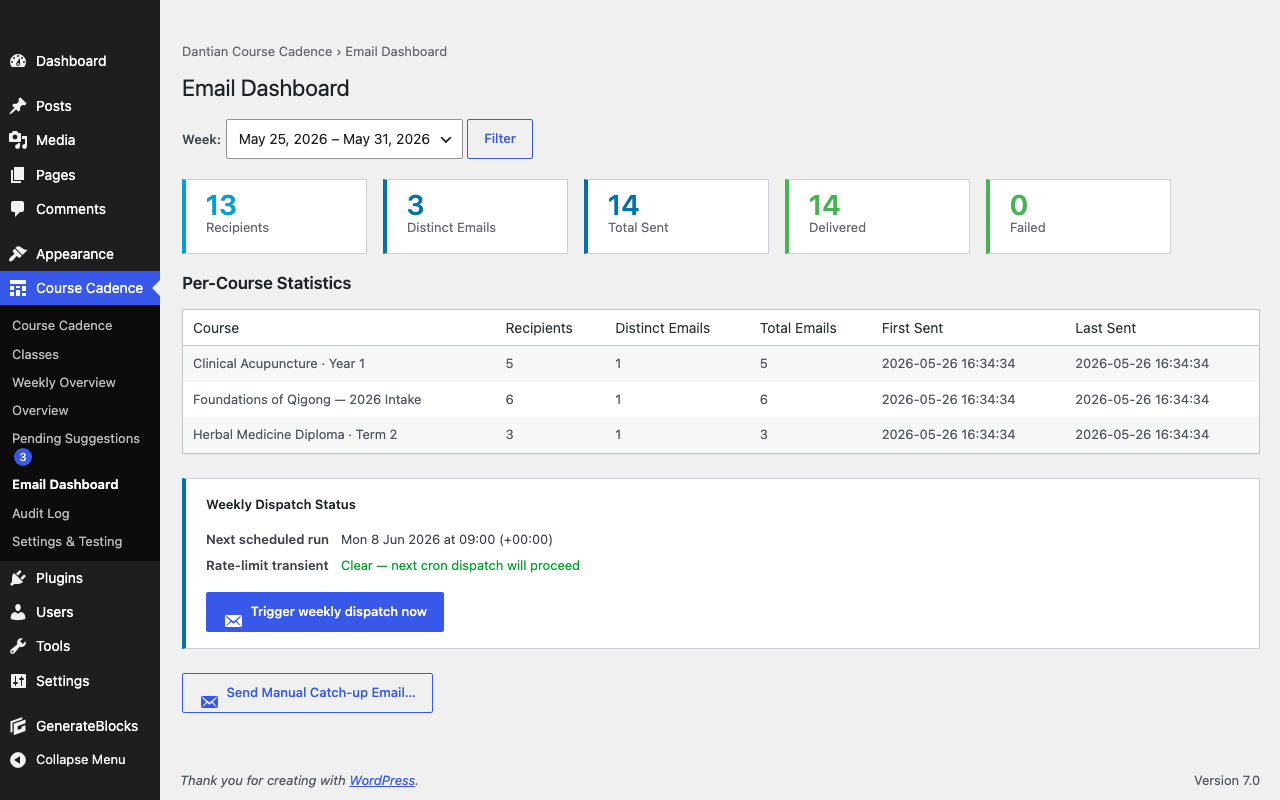
Trainer edit workflow
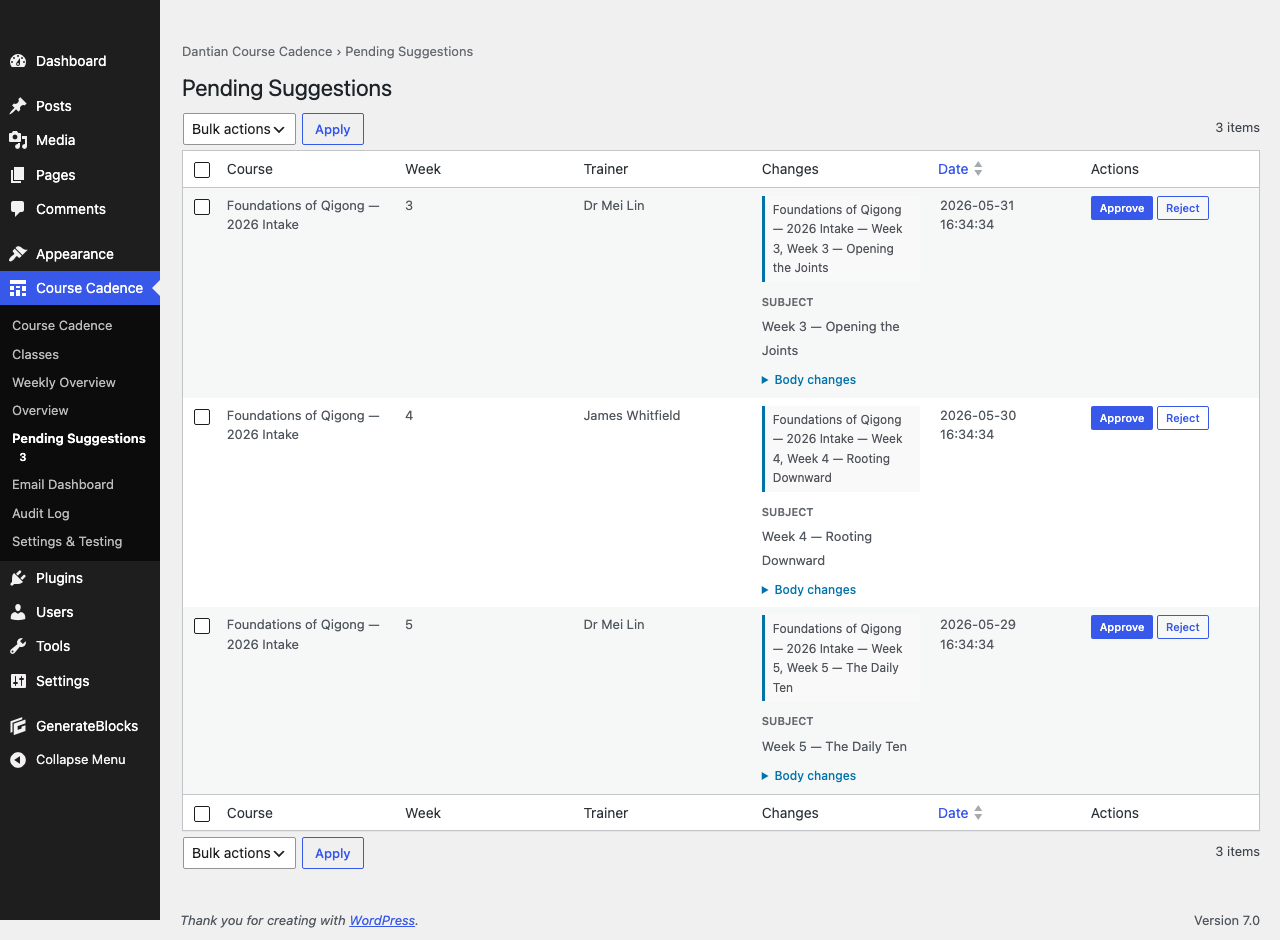
Trainers suggest refinements from the front end — auto-approved, or sent past administration first — reviewed from a queue with a word-level diff and a full audit trail.
Student guidance view
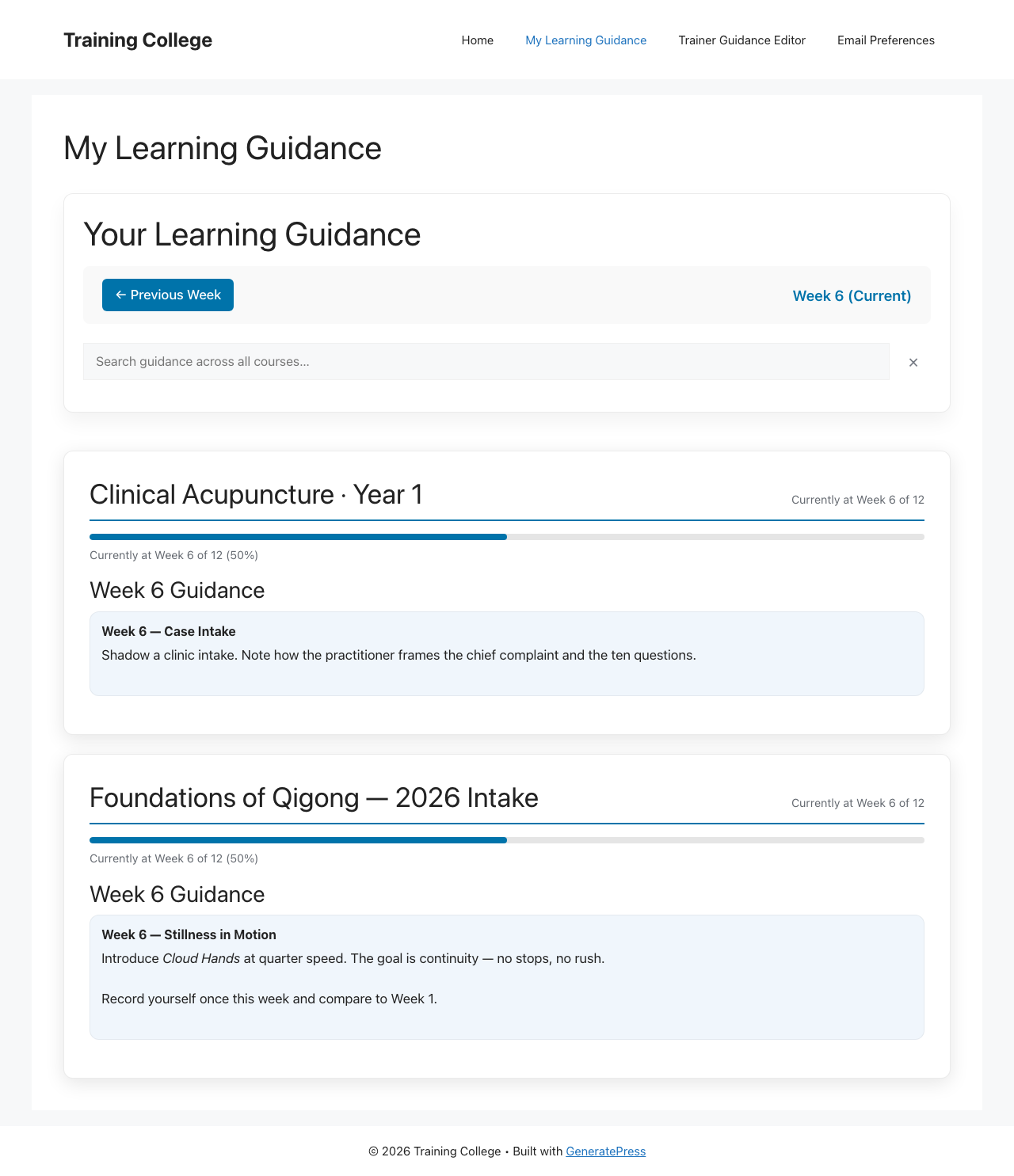
Learners get a clean current-week view with a progress tracker, full history and cross-week search — and one card per course when they’re in several.
Under the hood
Serious cohort infrastructure — all in the free plugin.
The resilience and depth you’d expect to find behind a paywall: multi-LMS support, delivery retries, versioning and audit trails. None of it costs extra.
Multi-LMS adapters
Tutor LMS, LifterLMS, or fully standalone. The right adapter is auto-selected; one runs at a time.
Consolidated digests
Learners enrolled in several courses get one weekly email, not five — with shared week navigation.
Catch-up for late enrolees
Automatic on enrolment, plus a cross-course review of who’s behind and for which weeks — send or dismiss each one — so nobody starts mid-stream lost.
Retry queue & plain-text fallback
Transient failures retry hourly (up to 3×); a plain-text version ships alongside for deliverability.
Test & preview before send
Fire a test of any week — a single course or a consolidated multi-course digest — and see exactly what learners will get before it ships.
Prompt versioning & rollback
Automatic snapshots before every edit mean you can roll any prompt back to a known-good state.
Full audit trail
Who changed what, when and why — logged across timelines, prompts and edits, with CSV export.
Per-course pause / resume
Pause a cohort’s dispatch without unpicking its timeline, and resume when you’re ready.
Site Health & cadence alerts
Dependency, database and cron checks built in — plus an admin digest after every weekly dispatch (even a zero-send week, with the reasons), a pre-dispatch preview, and a watchdog if the send runs late.
No catch: no telemetry · no licence key · no upgrade nag · no feature lockout. The full set above is the locked free baseline.
How it compares.
| Manual email | Generic drip tool | LMS announcements | Course Cadence (free) | |
|---|---|---|---|---|
| Course-week aware | Manual | No | Some | Yes — timeline-based |
| Consolidated multi-course digest | No | No | No | Yes |
| Trainer edit & approval workflow | No | No | No | Yes |
| On-page guidance view + progress | No | No | Limited | Yes |
| Catch-up for late enrolees | Manual | No | Varies | Automatic |
| Cross-cohort dashboards + CSV | No | No | Limited | Yes |
| Self-hosted (your data) | n/a | No | Yes | Yes |
| Cost | Your time | $10–100 / mo | LMS-bundled | $0 |
Pricing
Free. And built to stay free.
No paid tier. No upgrade prompts. No telemetry. No licence key or activation. The entire feature set on this page is the locked free baseline — released under the GPL. Download it direct from us today; a WordPress.org listing is coming.
Future capability, if any, will arrive as new free features or a separate add-on — never by moving today’s features behind a paywall.
Free — so where’s the catch?
There isn’t one. Course Cadence is GPL, free to download direct from us (a WordPress.org listing is coming), with no telemetry and no licence key. We do sell plugins — Training Hub Pro and Clinical Training Logbook Pro — and Course Cadence is the free anchor of that Education Stack: a genuinely useful tool in its own right that also introduces you to the rest. Use it forever without paying a cent.
Isn’t this just a scheduled-email plugin?
Generic drip tools fire emails on a clock — they don’t know your course weeks, your cohorts, your trainers, or render an on-page guidance view with a progress tracker. Course Cadence is course-aware: enrolment-relative timelines, consolidated multi-course digests, trainer suggestions with approval, prompt versioning, and dashboards across every cohort. It’s cohort guidance infrastructure, not a newsletter.
FAQ